Free template · Australia
Free insurance quote comparison template for Australian brokers
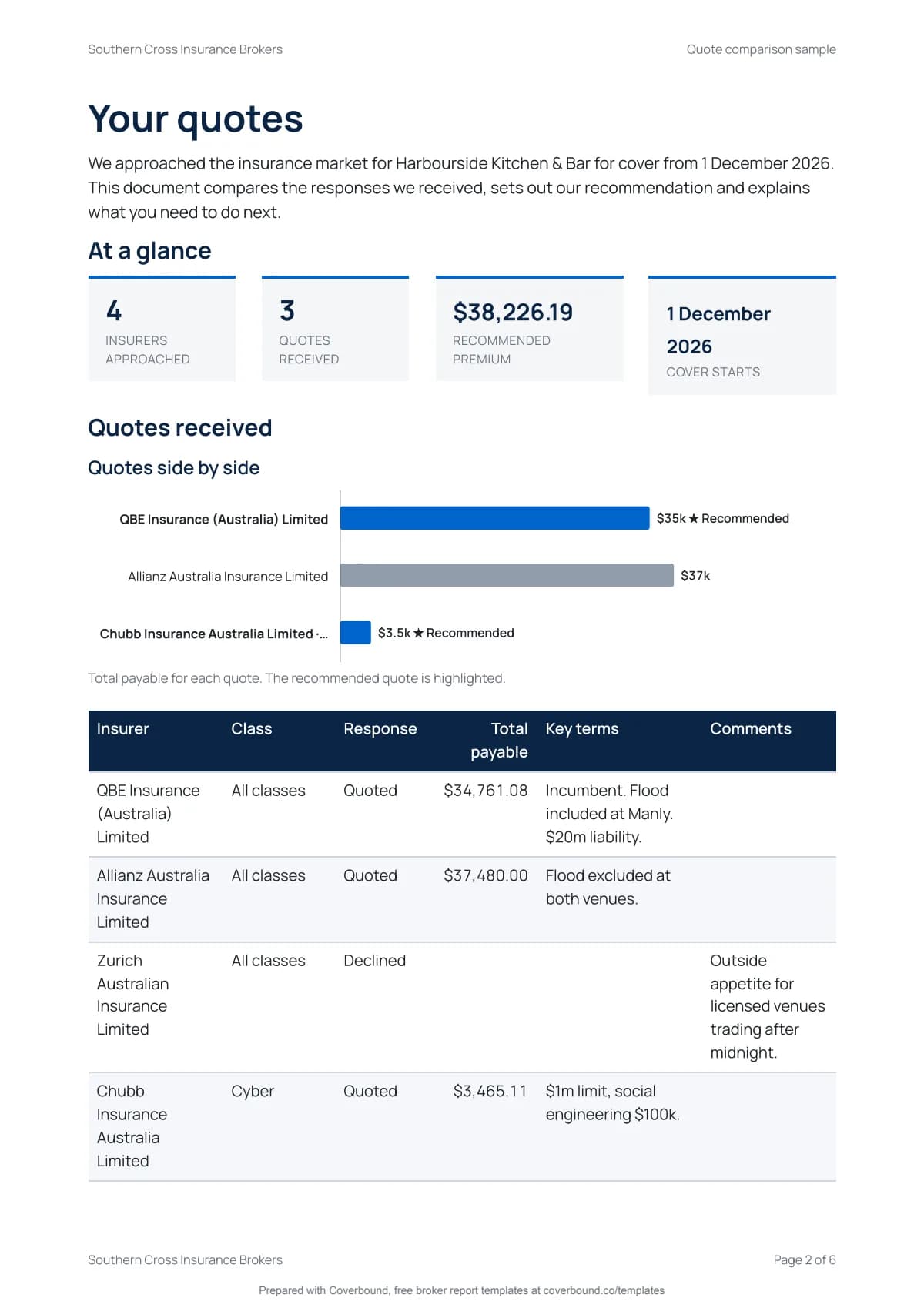
Lay the quotes side by side so the client can see the difference: who you approached, what each insurer offered, the premium with taxes and levies, excesses and key terms. Then your recommendation and the reasons for it. The quotes are charted side by side from your figures.
- No login needed
- Your logo, free
- Charts from your figures
- Written for AU rules
- Written for the Insurance Brokers Code of Practice 2022
- No login. Nothing stored until you download.
- Charts Word can't draw
- Every section cites its rule
What you'll download
A finished quote comparison, not a blank form.
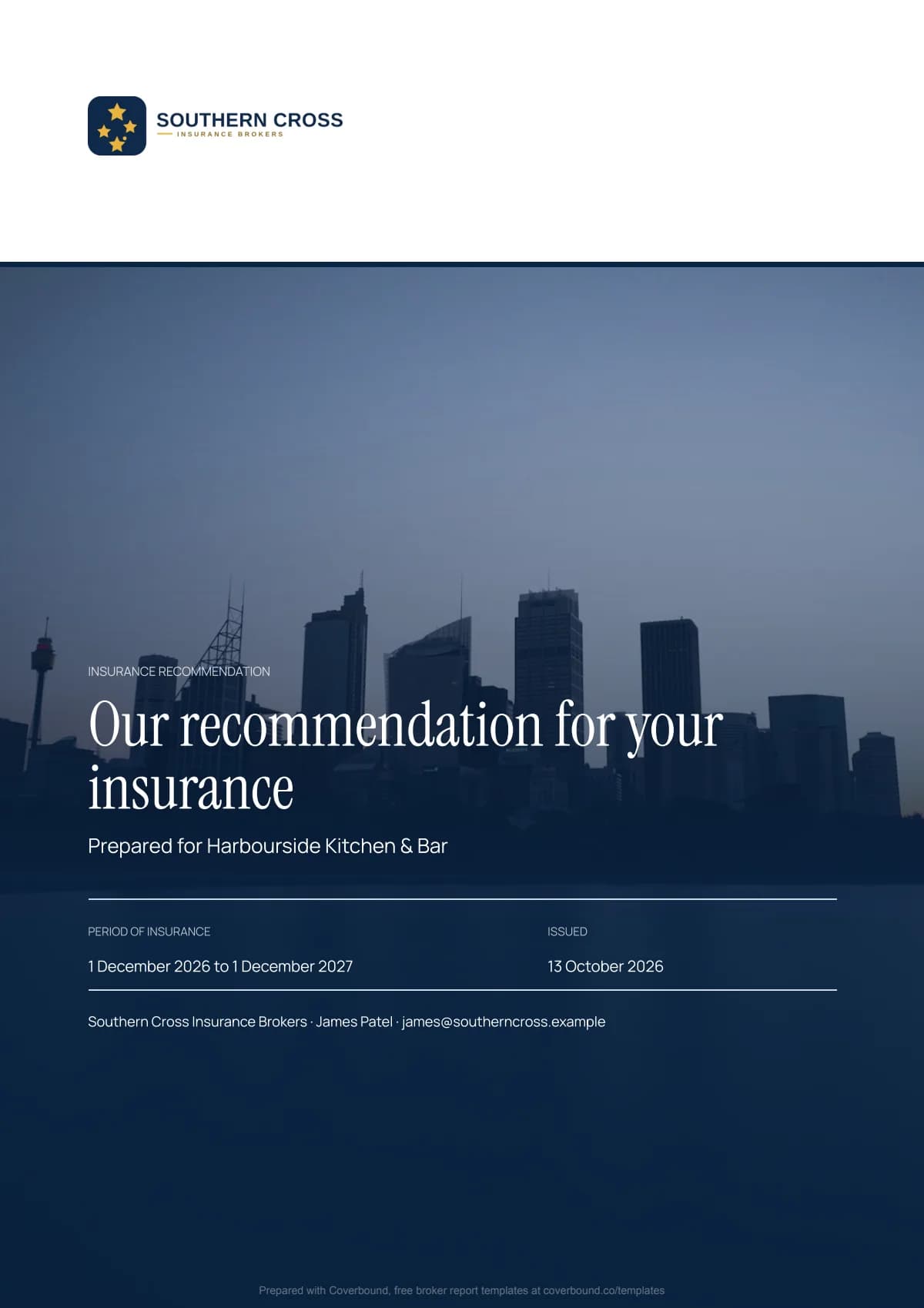
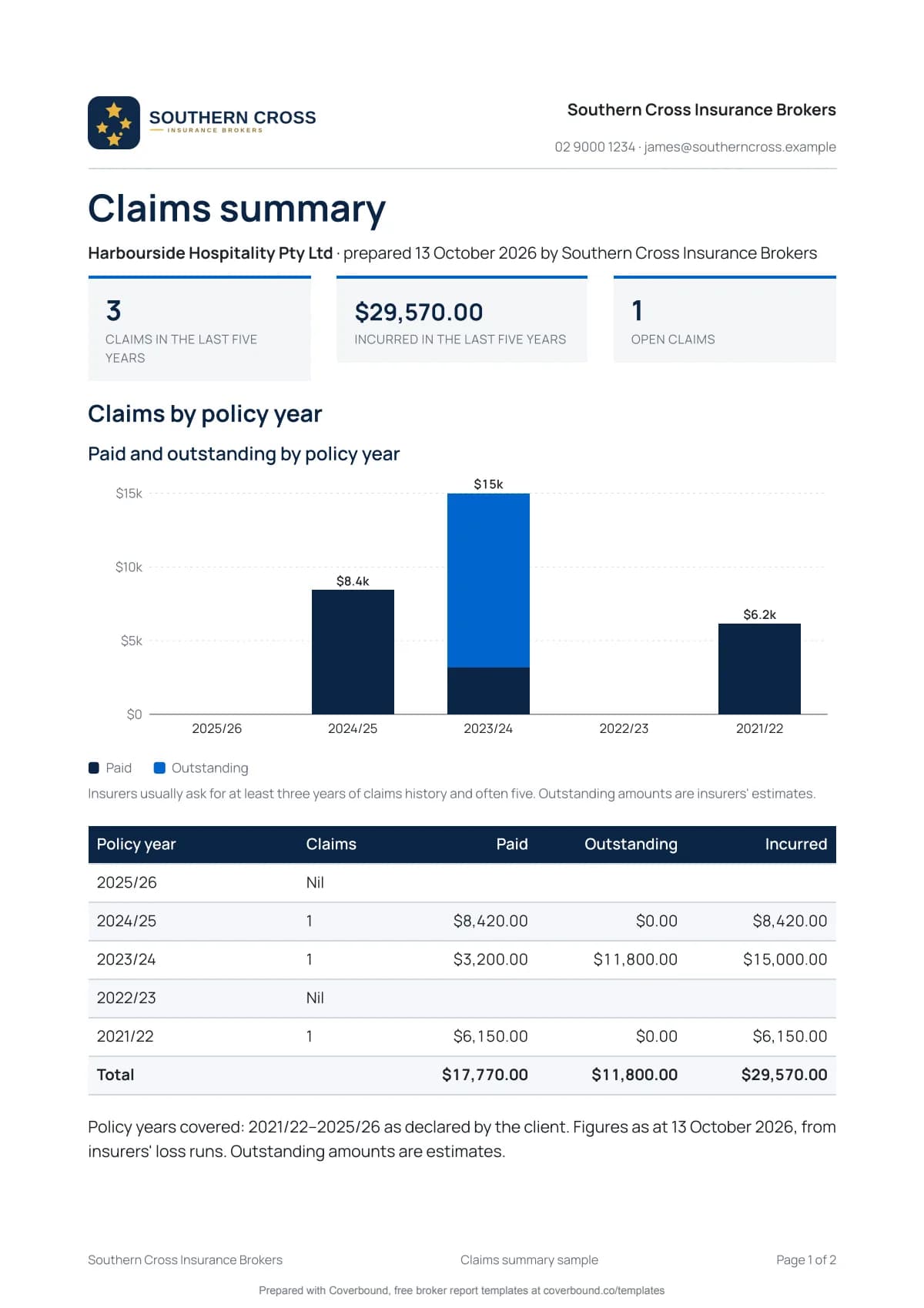
Pages from the sample report. Tap a page to look closer.
Charts from your own figures
Word can't draw this. Your quote comparison can.
Enter the figures once in the wizard and the report draws its own charts from them. It opens with an at-a-glance page so the client sees the answer before the detail. No spreadsheet to build and no images to paste in.
In the quote comparison:
- At a glance tiles
- Quotes side by side
- Your own logo on the cover and every page, free
At a glance
Insurers approached
5
Quotes received
3
Recommended premium
$22,610
Quotes side by side
- Quoted
- Recommended
What's inside
11 sections, each one there for a reason.
Every section of the quote comparison, why it matters to your client and the rule or practice behind it. Edit or remove any you don't need.
- 1
At a glance
Insurers approached, quotes received, the recommended premium and the day cover starts, in tiles on the first page.
Best practice
- 2
Insurers approached and responses
Every market you went to with its answer: quoted, declined or no response.
RG 175
- 3
Quotes side by side chart
Each insurer's premium drawn as a chart from your figures, so the gap between quotes is plain.
Best practice
- 4
Premium breakdown
Base premium, emergency or fire services levy where it applies, GST, stamp duty and fees for each quote.
GST Act, state duties Acts
- 5
Sums insured and limits
The cover each insurer offers, so a cheaper quote with a lower limit is easy to spot.
Best practice
- 6
Excesses side by side
Standard and special excesses for each quote.
Best practice
- 7
Key terms and exclusions
Where the wordings differ in ways that matter to this client.
Best practice
- 8
Insurer authorisation
Shows whether each insurer is APRA authorised, with the warning for any that isn't.
Insurance Act 1973
- 9
Recommendation and reasons
The quote you recommend and why it best meets the client's needs.
Corporations Act s961B, s947B
- 10
Remuneration
Your commission and fees for each option in dollars.
Code cl 6.1
- 11
Advice type and notices
General advice warning or personal advice statement, plus duty of disclosure and complaints.
Corporations Act s949A, RG 271
How it works
- 1
About 5 minutes
Answer three short steps
Enter the client and the insurers you approached, then each quote's premium, excess and key terms. Add your own logo if you like. No login and nothing to install.
- 2
Real document editor
Polish it in the editor
Your comparison opens in Coverbound's document editor. Change any wording, add your own notes and remove sections you don't need.
- 3
Free
Download the PDF
A professional PDF with the charts drawn from your figures and your logo on every page. Email it to yourself and ask for a reminder before the next renewal. Written for Australian rules, with a small Prepared with Coverbound footer.
Free tool or a free trial
The report is free. A trial saves you next year.
Free, no login
Everything you need for this report.
- Fill it in with the 3 step wizard
- Edit in the full document editor
- Charts and an at-a-glance page from your figures
- Your logo on the cover and every page
- Download a professional PDFWith a small Prepared with Coverbound footer
- Email the PDF to yourself
- A reminder before the next renewal
- Your colours, fonts and AFSL details
- Save it and reuse it next year
- Export to Word
- Send it for e-signature
- AI fill from last year's policy schedule PDF
With a 14-day free trial
Make it yours and do less next year. No card needed.
- Fill it in with the 3 step wizard
- Edit in the full document editor
- Charts and an at-a-glance page from your figures
- Your logo on the cover and every page
- Download a professional PDFNo footer
- Email the PDF to yourself
- A reminder before the next renewal
- Your colours, fonts and AFSL details
- Save it and reuse it next year
- Export to Word
- Send it for e-signature
- AI fill from last year's policy schedule PDF
Before you ask
Questions about the quote comparison.
- Is a quote comparison the same as a Statement of Advice?
- No. A comparison shows the options. If you give personal advice to a retail client you also need a Statement of Advice. Use the insurance recommendation template for that or add the SOA sections from it.
- Should I include insurers that declined?
- Yes. Showing who declined and why tells the client how hard the market was and supports your recommendation.
- How do I show GST and stamp duty?
- Each quote has its own lines for base premium, levy, GST, stamp duty and broker fee. Stamp duty rates differ by state and class, so take the figures from each insurer's quote.
- Do I have to recommend the cheapest quote?
- No. Recommend the quote that best meets the client's needs and explain why. Wider cover, lower excesses or a better claims service can all justify a higher premium.
- Does it draw the charts for me?
- Yes. The report draws its own charts from the figures you enter in the wizard, so there's nothing to build in a spreadsheet and nothing to paste in. They print in the PDF next to the tables they come from. Word can't do that on its own.
- Can I add my own logo?
- Yes, for free. Upload a PNG, JPG or WebP and it goes on the cover and every page of the PDF. Your colours, fonts and licence details come with the 14-day free trial.
- Is it really free?
- Yes. Fill it in, add your own logo, edit it and download the PDF without an account. The charts are drawn for you and you can email the PDF to yourself. The free PDF carries a small Prepared with Coverbound footer. A 14-day free trial removes the footer, adds your colours, fonts and AFSL details and lets you save the document for next year. No card needed.
- Who is responsible for the advice in the document?
- These templates are a starting point, not legal or compliance advice. You remain responsible for the advice and documents you give under your AFSL or as an authorised representative. Check each document against your licensee's requirements before you send it.
More free templates
Other templates for Australian brokers
These templates are a starting point, not legal or compliance advice. You remain responsible for the advice and documents you give under your AFSL or as an authorised representative. Check each document against your licensee's requirements before you send it.
Your next report, done before lunch.
Answer three short steps, add your logo and download the PDF with its charts drawn for you. No login needed.
Start your report, free